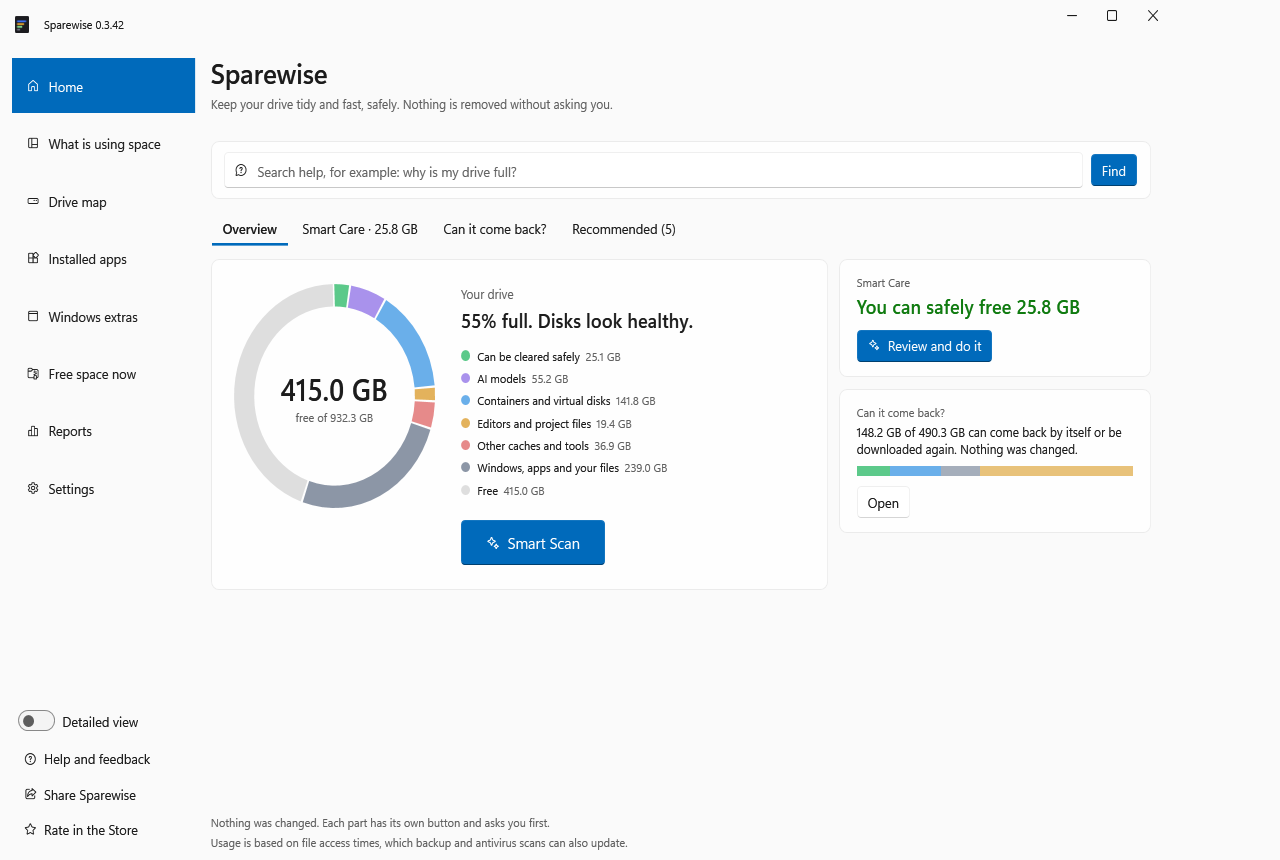
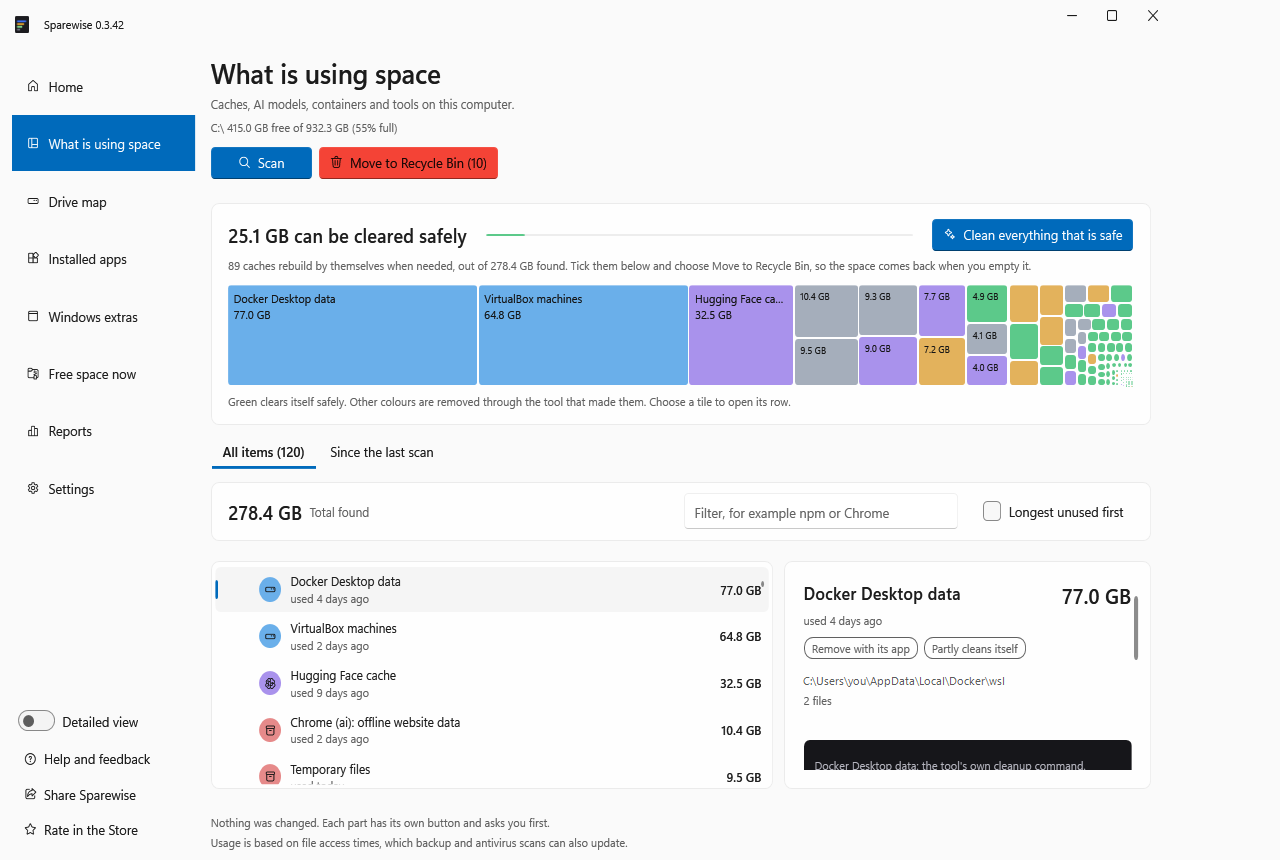
A free, honest PC cleaner for everyone: temp files, browser caches, Windows leftovers, big and duplicate files, programs you no longer use, and the caches developer and AI tools leave behind. It explains every item, changes nothing until you say so, and most changes can be put back. It also tells you if your PC has been crashing or your battery is worn.

Understands the tools developers and AI users actually run
It tells you exactly what each item is, whether it comes back by itself, and how much clearing it really frees on your PC.
A project you stopped touching becomes one checked archive without node_modules or build folders. Restore it whenever you want.
The same npm package in 18 projects, the same Python library in 14 environments, and what pnpm or uv would save.
Ollama, LM Studio, Hugging Face, ComfyUI: last used, old versions, and the same weights kept by two tools, stored once.
Most of an npm or pip cache is versions nothing uses. Clear just that part; your next install downloads nothing it needs.
From Windows, WSL is one big file. Sparewise lists the caches inside it, and gives disks that never shrink their space back.
A build folder committed to git is never offered, and before clearing it names the open programs still using those files.
Smart Scan checks caches, AI models, apps, Windows files, disks, startup programs and your projects, then gives one short list of what is worth doing.

Nothing is removed on a guess, and nothing is removed without you. You always see what will happen first, and most changes can be put back.
Caches, temp files, build output. Offered: the tool that made them rebuilds them.
AI models, SDKs, games. Shown with size and last use; removed with its own tool, by you.
Your photos, videos and documents. Reported so you can decide; never removed by Sparewise.
Left to Windows' own tools, behind its own prompts.
Sparewise is an MCP server. Claude, Codex, Cursor and VS Code can ask why the drive is full and plan a cleanup. They apply it only under the policy you set, nothing they do is permanent, and every change is recorded with their name and reason.
Connect your agent# Claude Code claude mcp add sparewise -- npx -y sparewise mcp # policy.json: what an agent may do alone { "allowUnattendedReversible": true, "maxUnattendedBytes": 21474836480, "unattendedActions": ["clean-junk", "cache-unused"], "excludedPaths": ["C:\\work\\**\\keep-*"] }
Typical cleaners sweep temp files and browser caches. Sparewise understands the developer and AI storage that actually fills a modern PC.
| What matters | Sparewise | Typical cleaner |
|---|---|---|
| Developer and AI caches, model folders, WSL and Docker | Each one named and sized | Rarely |
| Can put back what it removes | Recycle Bin or Set aside | Often permanent |
| Why each item is safe | Explained in plain words | "Junk" |
| Old projects and duplicate packages | Clear, hibernate, measure | No |
| AI agents under your policy | MCP, audited, reversible | No |
| Telemetry and accounts | None | Common |
Roll it out with the tools you already use. Each PC writes its own status to a shared folder you control; nothing goes to us. Set it up in four steps →
Every machine in one list, most in need first: free space, days until full, what could be freed. Silent machines are flagged.
Caps, allowed changes and protected folders in one JSON file. A wrong value falls back to the safe default: nothing runs unattended.
Per-user install without admin rights, a CLI with JSON output, and scheduled reports through Task Scheduler or Intune.
One independent developer, not a company. It is published as an individual on the Microsoft Store and on GitHub, and it is free: no account, no ads, no tracking.
Yes, everything is free today, with no account and no ads. Later versions may add paid features; anything you already have keeps working.
No. No telemetry, no analytics, no account. It checks GitHub for updates and reaches only what you ask it to. See the privacy page.
It is new and not code-signed yet. The Microsoft Store copy installs with no warning. With the installer, choose More info, then Run anyway.
Measured on one laptop (Intel Core i7-1360P, NVMe SSD, 552 GB in use, Sparewise 0.3.53): the Smart Scan takes about 16 seconds. A map of the whole C: drive takes about 2¾ minutes without administrator rights, or seconds with Map faster, which reads the drive's own file table after one administrator prompt. Your PC will differ: more files take longer.
By itself. Once a day Sparewise checks for a new version and downloads it in the background. When it is ready, a Restart to update button appears in the left menu: one click and Sparewise closes, updates and opens again in a few seconds. If you never click it, the update installs the next time you close the app. You can turn automatic updates off in Settings. The Microsoft Store version is updated by the Store.
Windows 10 and 11 only, for now. There is no Mac or Linux version yet.
Free. No account. You approve every change, and most can be put back.
Using Sparewise? Read and write reviews on the Microsoft Store. Reviews there come from people who installed it, and they help others find it.